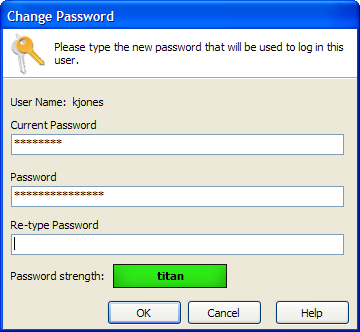
Change Password
This screen allows you to change your password. You must know your current password in order to complete this operation.
To open the Change Password dialog, select Tools on the menu bar and then choose Change User Password.
The password strength indicator will help you determine if you password is strong enough. The following strategies will help you make a more secure password.
- Increase the length of you password.
- Include letters and numbers.
- Use both upper and lower case.
- You can also include special characters (for example: [, {, !, ?, +, &, %, #)
Using a good combination of these strategies will give you a "titan" of a password.